Context
The CGR Platform allows admins to check notices that may have been successful or failed in the platform. Notices cover a lot more than just Email Notifications, they can also cover Triggers, bulk operations [e.g. mass edit].
However, the most typical check is around emails that were sent to users. Sometimes, users may log issues related to not receiving emails, which could be caused by several things outside the application itself [e.g. going to their spam box].
This article aims to give an overview of how to find notices related to emails, but the same process applies to any other types.
Important Notes
- You need to be a system administrator to be able to perform the steps below.
Q: How to find if an email notification worked or not?
To find out if an email notification worked or not, please follow the below steps.
- Navigate to Admin > Notices
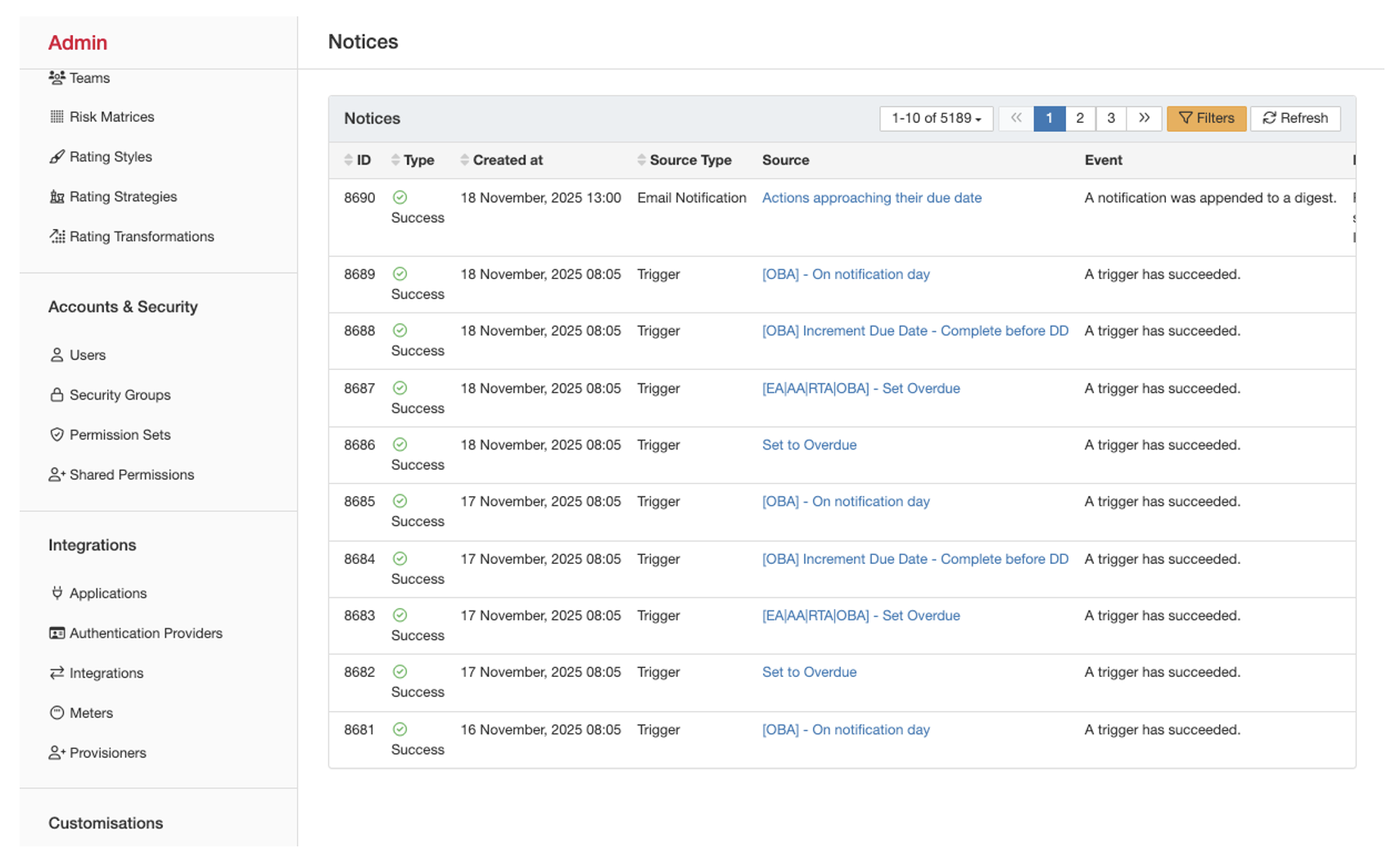
- On this page, the first step is to open the “Filters” [highlighted in amber above]. Once open you should see the following filters:
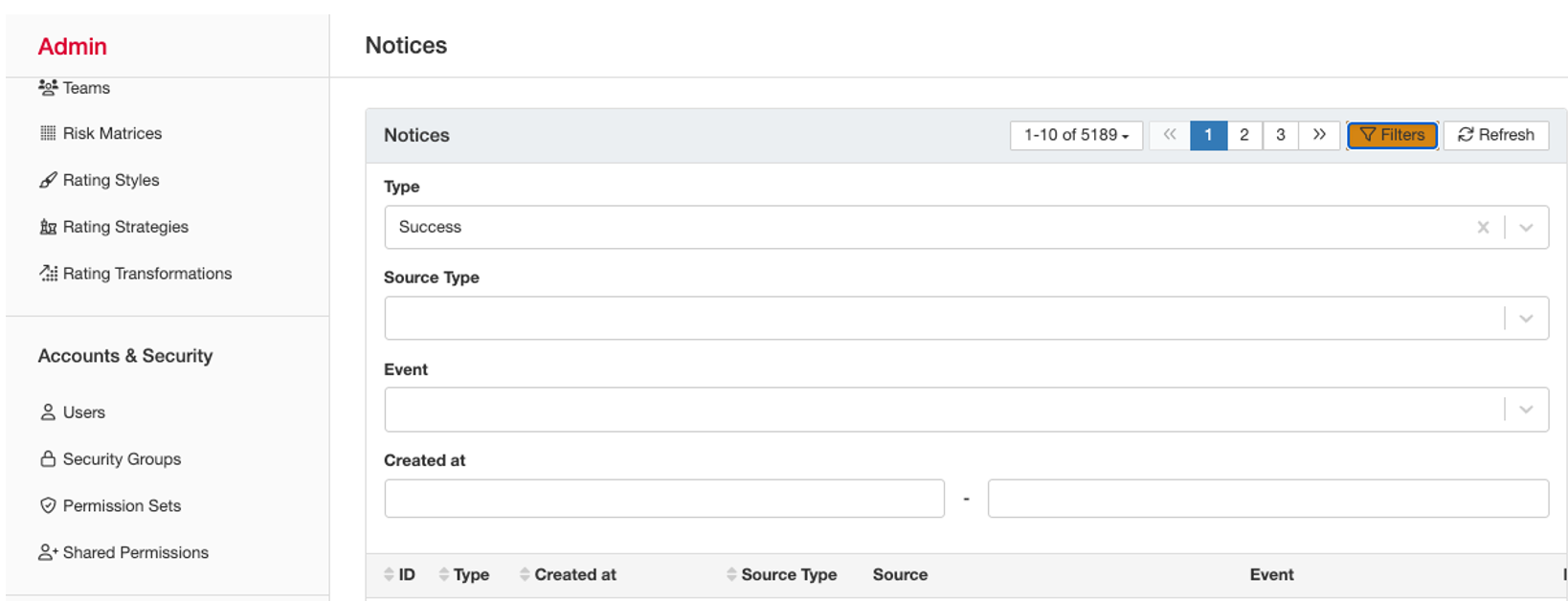
- Type: Success or Failure. This will filter the data for successes or failed attempts.
- Source Type
- Email notification, Email notification digest, Trigger notification, and reminders are all related to emails sent from the platform to the end users [these are configured in the admin area of the platform].
- Scheduled dashboard export is also an email, but it is scheduled by users.
- Bulk operation relates to mass edit, mass link, and mass update operations that run in the background.
- Directory user relates to synchronisation of user accounts with external platforms such as Microsoft Azure.
- Event: these directly relate to the options above, and you can be really specific, like looking for a successful [or failed] bulk operation message [notice].
- Created at: Date range for when the notice should have happened.
- If you consider our case here, looking for an email notification to a certain user, you can select:
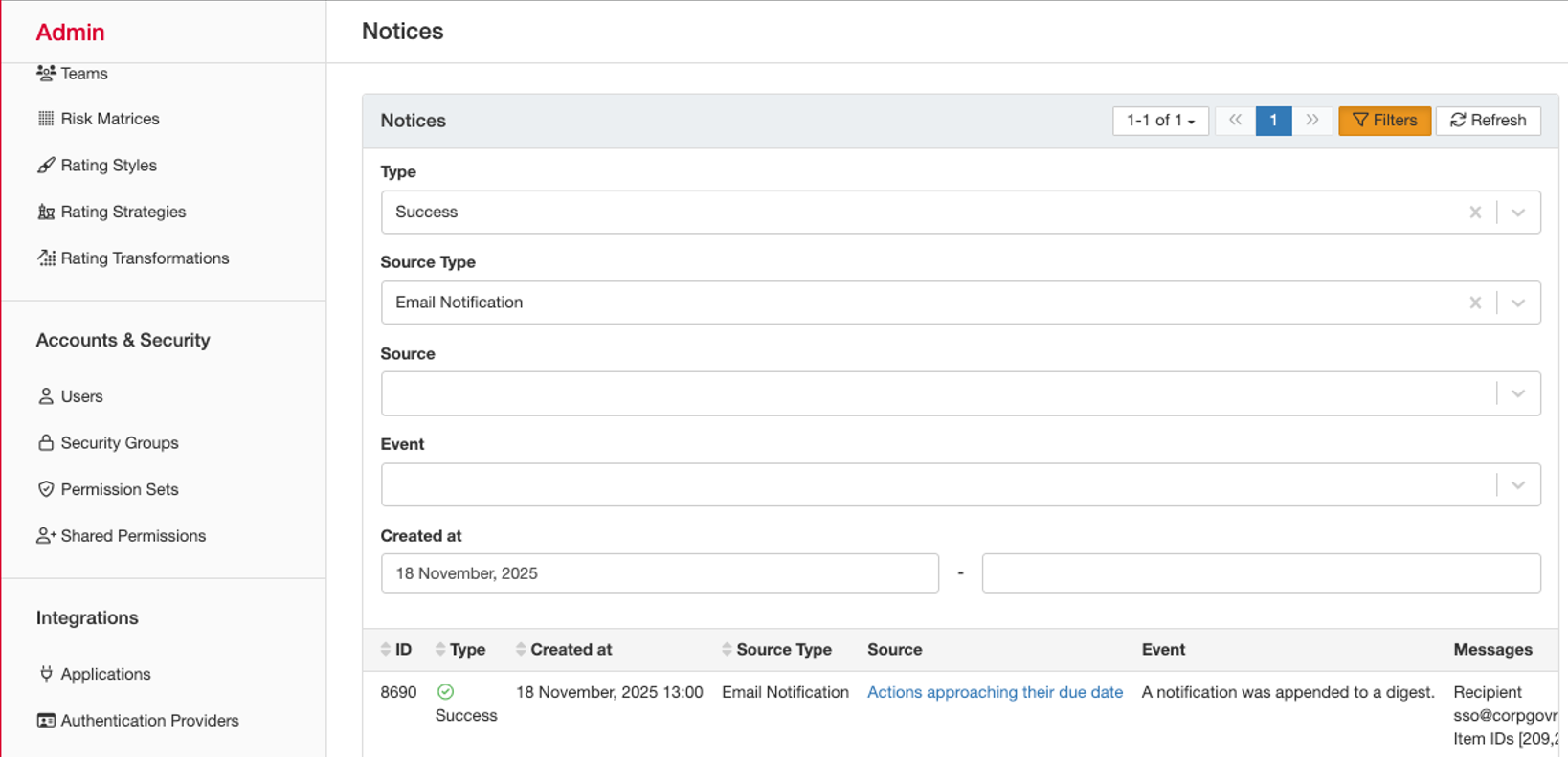
- Type: Success
- Source Type: Email Notification
- Created at: Date you are seeking to check.
- You can do the same for failed notifications.
Was this article helpful?
That’s Great!
Thank you for your feedback
Sorry! We couldn't be helpful
Thank you for your feedback
Feedback sent
We appreciate your effort and will try to fix the article