TABLE OF CONTENTS
Context
The CGR platform allows users to control and customise their own dashboards, providing an extra level of flexibility. users can also export their dashboard reports for further use.
- Individual Widgets: Export in PDF or CSV format.
- Entire Dashboard: Export the full dashboard as a PDF.
Important Notes
- User can export the entire dashboard in the pdf portrait and pdf landscape format.
- In Landscape format, users can choose “One item per row”, which exports one chart per page.
How to I export a dashboard?
To export the dashboard report, please follow the below steps:
Export an Individual Widget
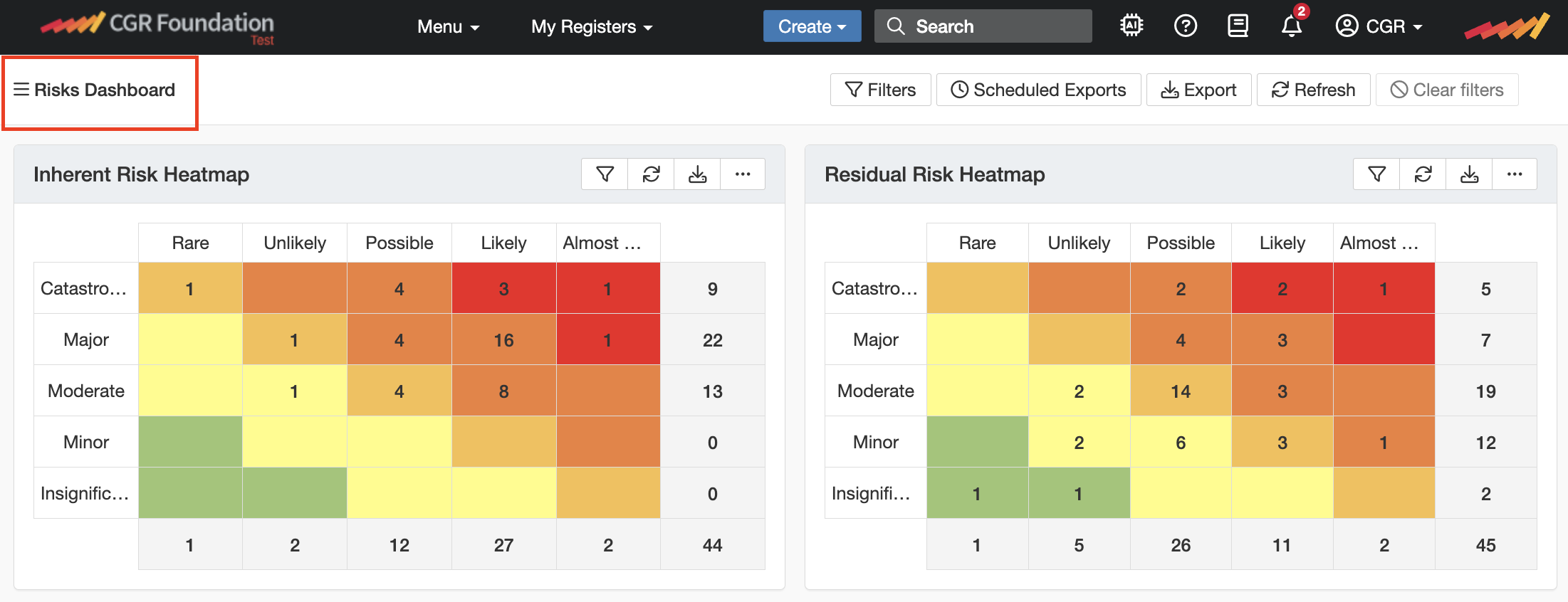
- Navigate to Menu > Dashboard and select the dashboard that containing the widget you want to export by clicking on below three lines.
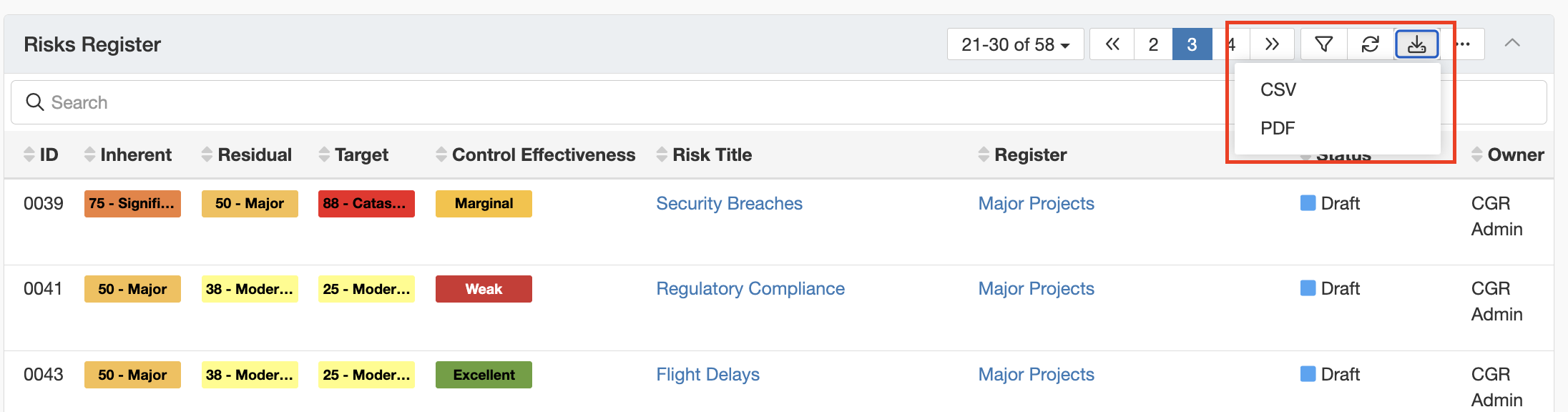
- Locate the widget and click the down arrow to export it in CSV or PDF format.
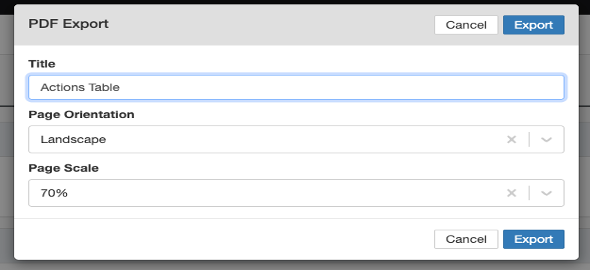
- For PDF format, the user can select either landscape or portrait orientation. If landscape is chosen, the view also allows the user to adjust the page scale. This is particularly useful when exporting tables with many columns, as the page scale can be adjusted to fit all content on the page without any cropping.
Export Entire Dashboard
- Navigate to Menu > Dashboard and select the dashboard which you want to export.
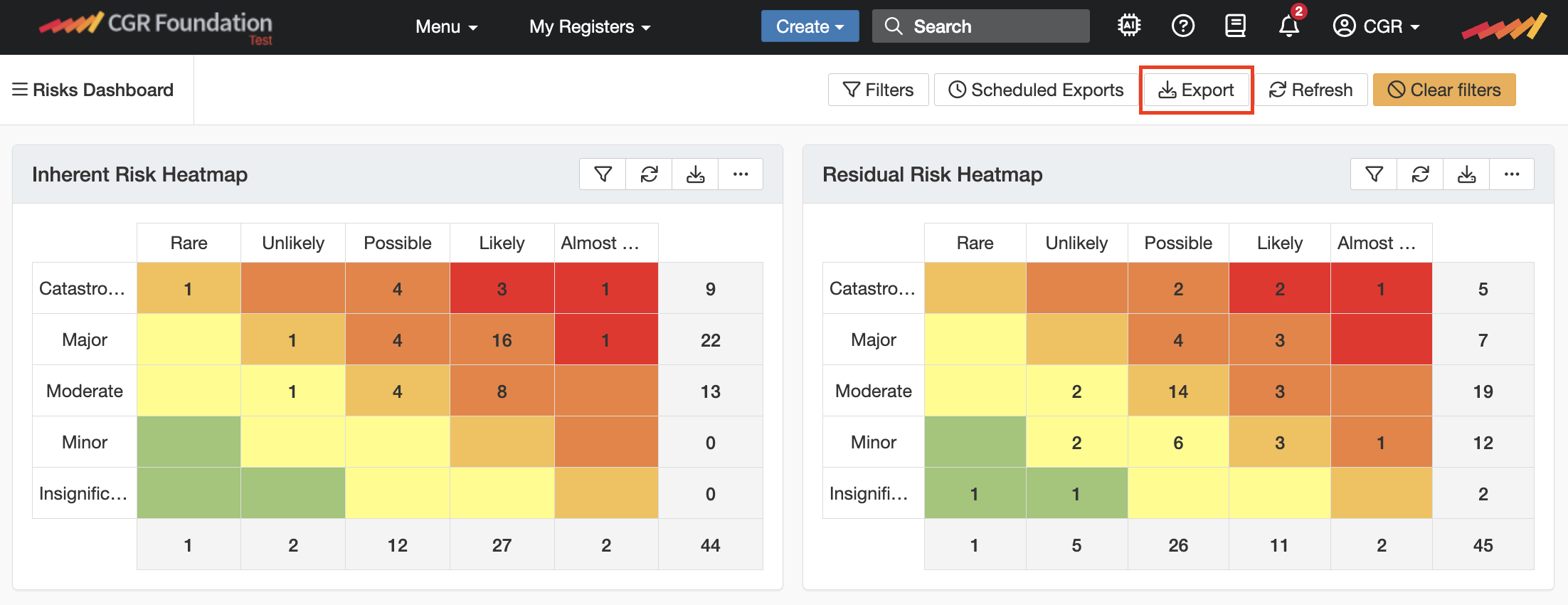
- Select the 'Export' button on the top and enter the dashboard report title.
- Select the page orientation 'Portrait' and 'Landscape'.
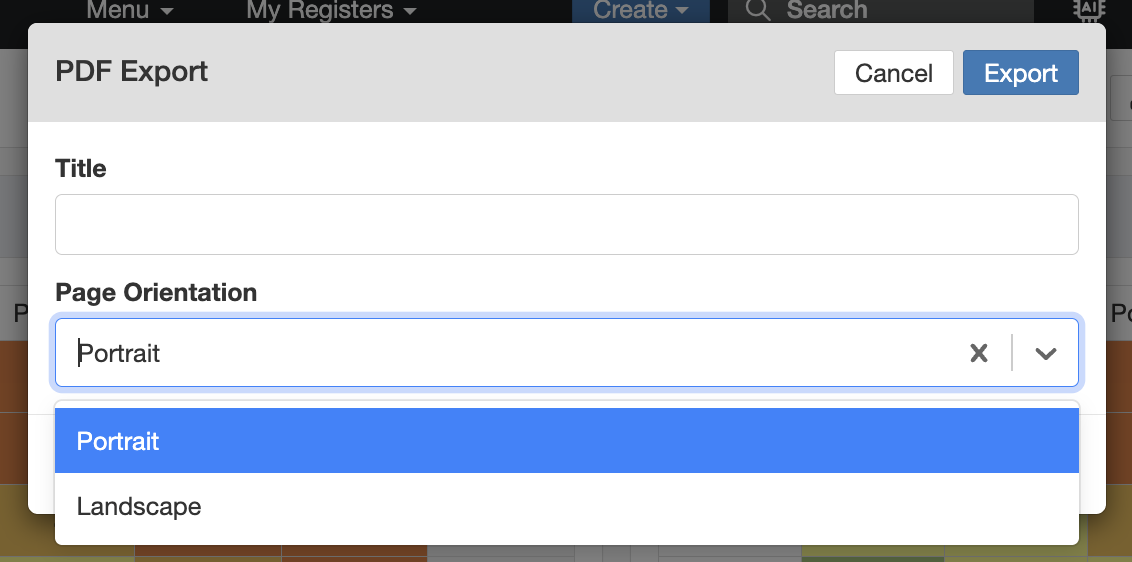
- For landscape format, user can either select 'Current' or 'One item per row' layout.
- Current: Exports the dashboard in the same format as it is customised.
- One item per row : Exports each dashboard widgets/charts on a separate page.
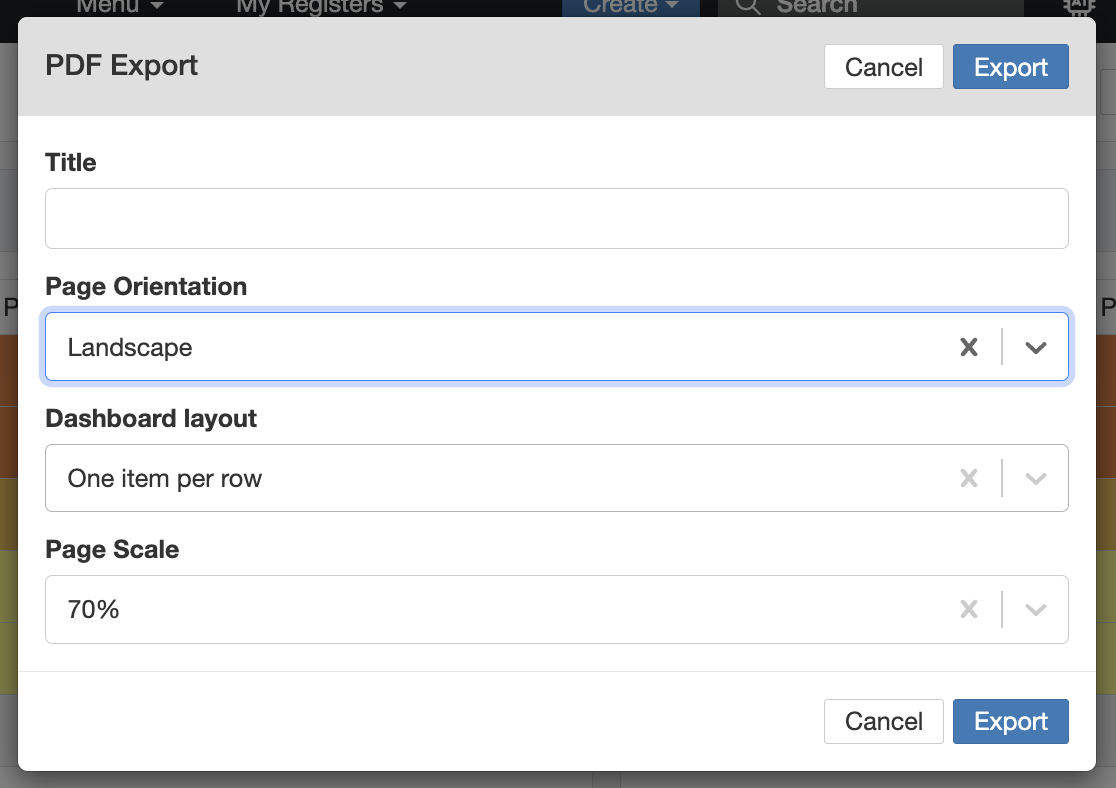
- Users can adjust the page scale to fit the content in the page. This is particularly useful when exporting tables with many columns, as the page scale can be adjusted to fit all content on the page without any cropping.
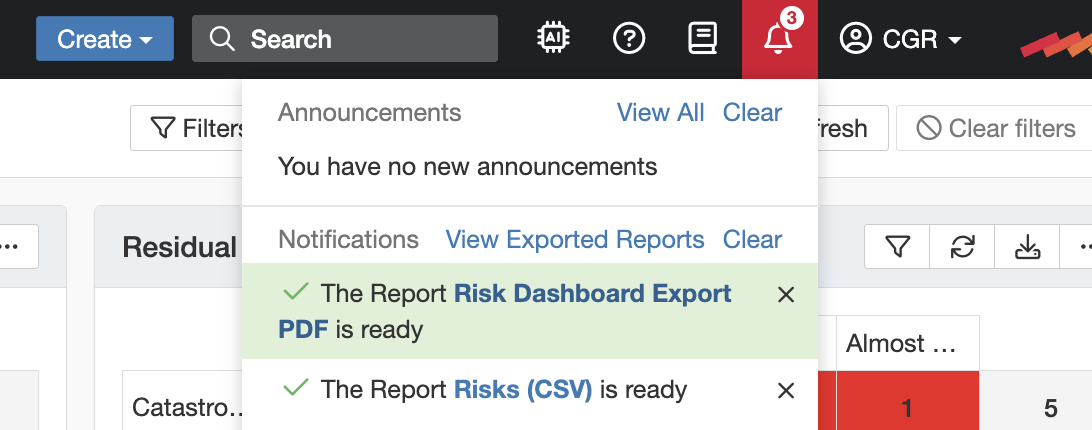
- Once the dashboard is exported user can find the report under the bell icon on the top right corner.
Learn more about Dashboard Manager or Admin > Dashboard Templates.
Was this article helpful?
That’s Great!
Thank you for your feedback
Sorry! We couldn't be helpful
Thank you for your feedback
Feedback sent
We appreciate your effort and will try to fix the article