TABLE OF CONTENTS
Context
System Administrators may need to update an existing Rating Strategy when a rating style changes, naming conventions need alignment, or when the strategy needs to be applied to additional registers or projects.
CGR allows system admins to modify certain attributes of an existing Rating Strategy while protecting core configuration components that ensure rating integrity.
Important Notes
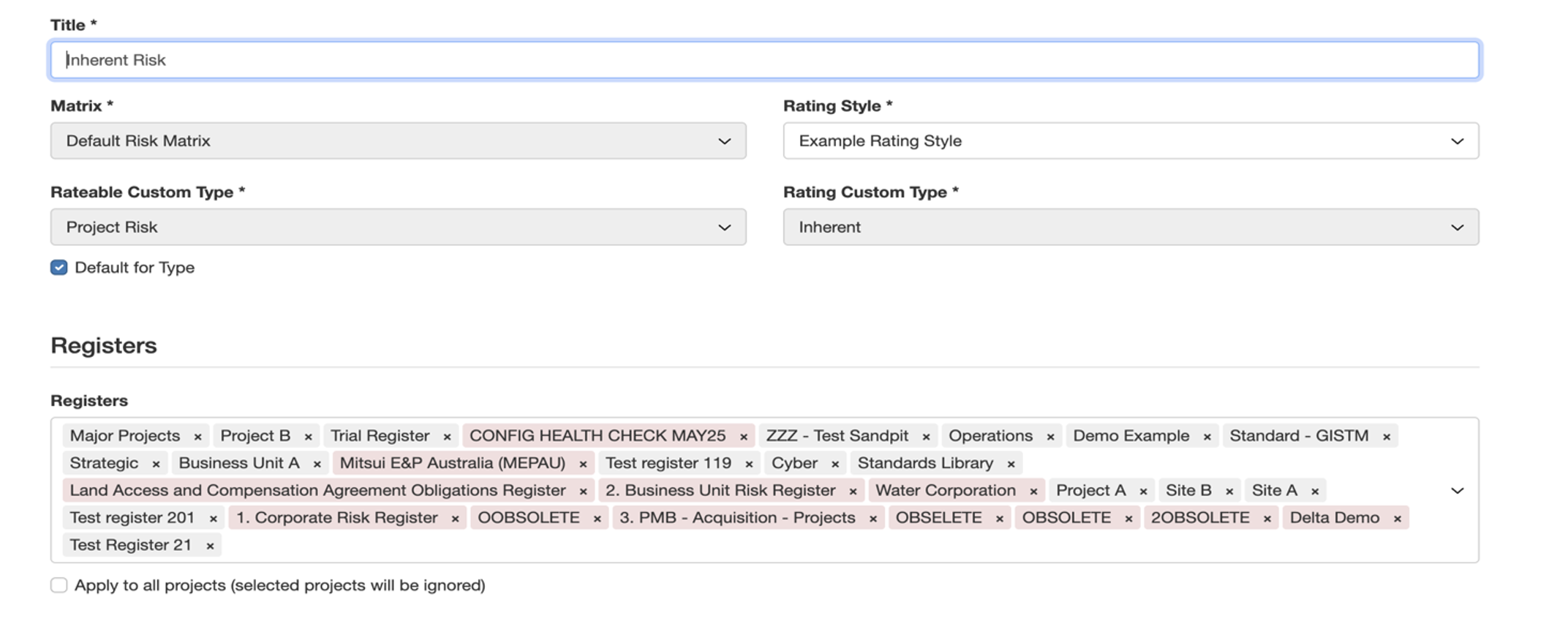
Only a few attributes of an existing rating strategy can be modified.
- Editable fields:
- Title
- Rating Style
- Registers / Projects the strategy applies to
- Locked fields (fixed once the strategy is created and cannot be changed):
- Matrix
- Rateable Custom Type (Risk Type)
- Rating Custom Type
These locked fields ensure consistent, traceable, and audit-safe risk scoring across the platform.
How to update a Rating Strategy
- Navigate to: Admin > Rating Strategies
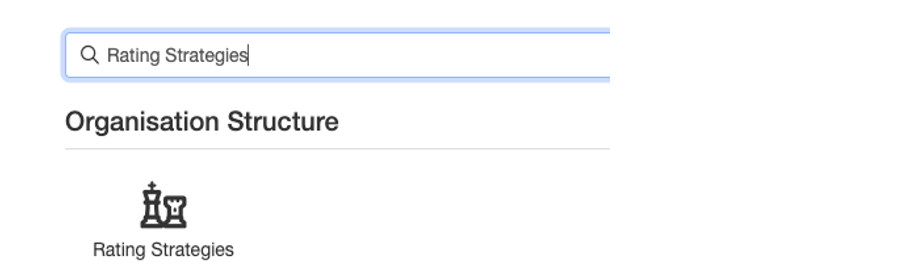
- Search for the rating strategy you want to update using the search bar.
- Open the strategy for editing by clicking either the hyperlinked Title, or the pencil icon at the end of the row.
(Both open the Edit Rating Strategy form.)
- In the Edit Rating Strategy form, you may update the editable fields such as Title, Rating Style, Registers (or Projects) to which the strategy applies.
- After making the required updates, click Save to apply the changes.
Was this article helpful?
That’s Great!
Thank you for your feedback
Sorry! We couldn't be helpful
Thank you for your feedback
Feedback sent
We appreciate your effort and will try to fix the article