Context
If you want to share permission to a risk with a team, you can only view and select the teams you are assigned to. This is why not all teams appear in the dropdown list.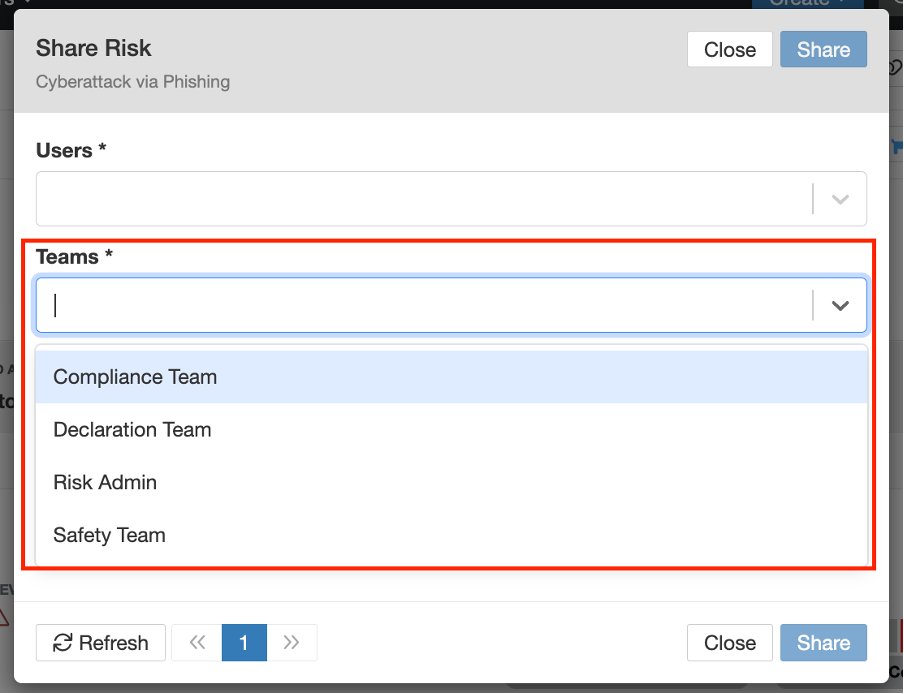
If you need to share a risk with a team that’s not visible:
- Contact the team administrator and request to be added to that team, or
- Choose to share the risk directly with individual users instead, or
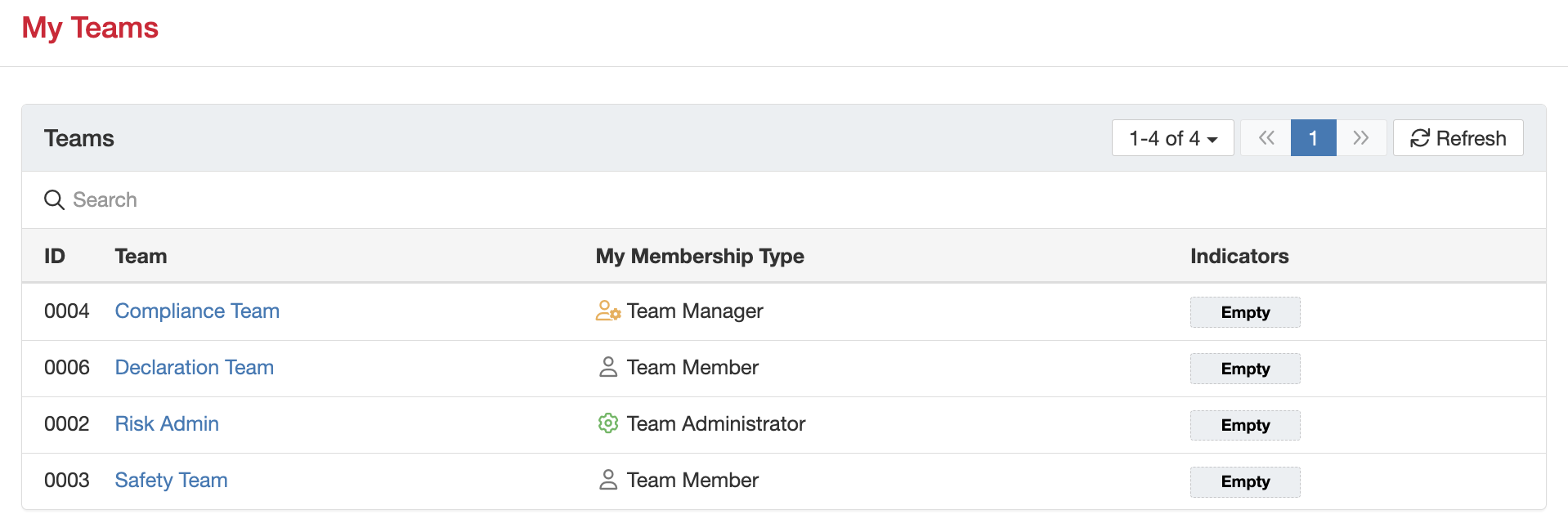
How can I check which teams I’m assigned to?
- Click on your name dropdown in the top-right corner of the screen.
- Select My Teams.
- You’ll see a list of all the teams you are currently assigned to.
How can I add a user to a team?
- Go to the Admin section > Teams
- Click on the applicable team where you want to add users to.
Note: You need to be a Team Manager or Administrator in order to onboard new team members or a System Admin.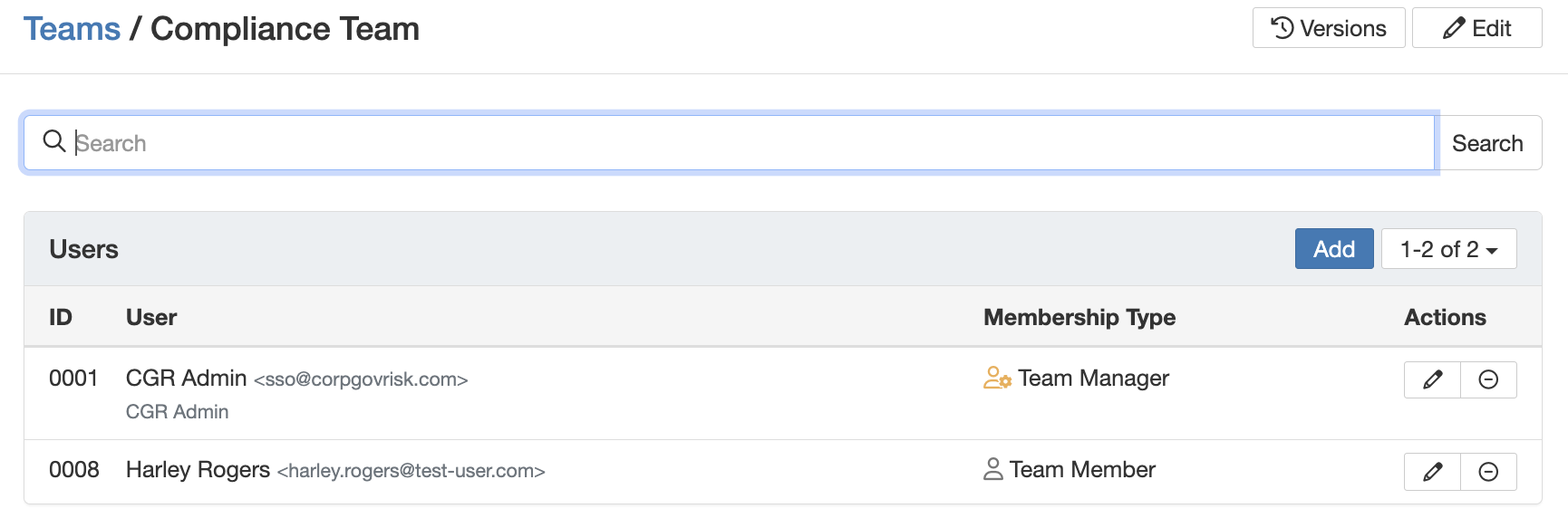
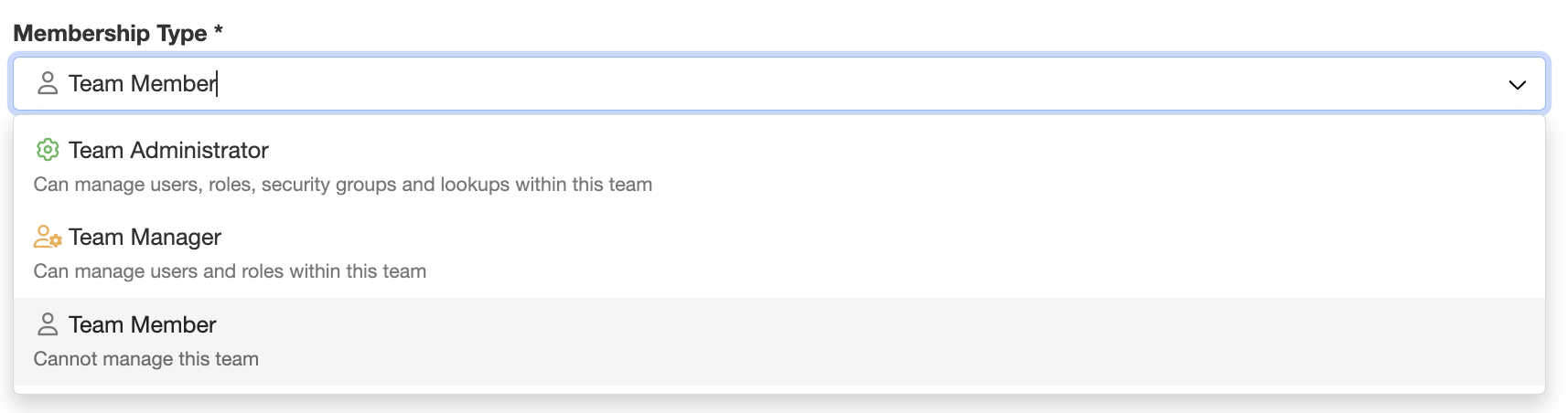
- Click ‘Add’ and select the user from the list and choose the appropriate membership type.
Was this article helpful?
That’s Great!
Thank you for your feedback
Sorry! We couldn't be helpful
Thank you for your feedback
Feedback sent
We appreciate your effort and will try to fix the article