Why can't a user see a dashboard?
How dashboard access works, and how to check and manage who can see a dashboard
Contents
- 1. Introduction & Context
- 2. Key Features & Functions
- 3. Requirements
- 4. Step-by-Step Guide
- 5. Common Issues & Troubleshooting
- 6. Related Articles
1. Introduction & Context
Users can only view dashboards that they have created, or dashboards that have been shared with them. This article explains how to check who has access to a dashboard and how to share it, through two pathways.
Who is it for? System administrators and users who have created their own dashboards.
What does it impact? Sharing a dashboard controls who can see it. Changing the share settings affects who the dashboard appears for.
2. Key Features & Functions
- Two ways to review access: through Dashboard Templates (for dashboards created under Admin, Dashboard Templates) and through the Dashboard Manager (from your name drop-down).
- Shared with all, or specific people: in a dashboard's Share settings, blank Teams, Users, and Roles fields mean the dashboard is shared with all users.
- Access needs share permissions: sharing the dashboard URL does not give anyone access. A user can only view a dashboard if it has been shared with them through dashboard share permissions.
3. Requirements
- For the Dashboard Templates method, System Administrator access and a dashboard created under Admin, Dashboard Templates.
- For the Dashboard Manager method, a dashboard you have created.
4. Step-by-Step Guide
Reviewing access through Dashboard Templates
This applies to system administrators who have created their own dashboards through Admin, Dashboard Templates.
- In the left corner, click Dashboards, then click the pencil icon to edit the dashboard.

Editing a dashboard from the Dashboards menu.
- Click the Share sub-panel to expand it. Here you can see whether the dashboard is shared with all users or with specific users.
- To share the dashboard with a specific user, click the Users field and select a user from the list.
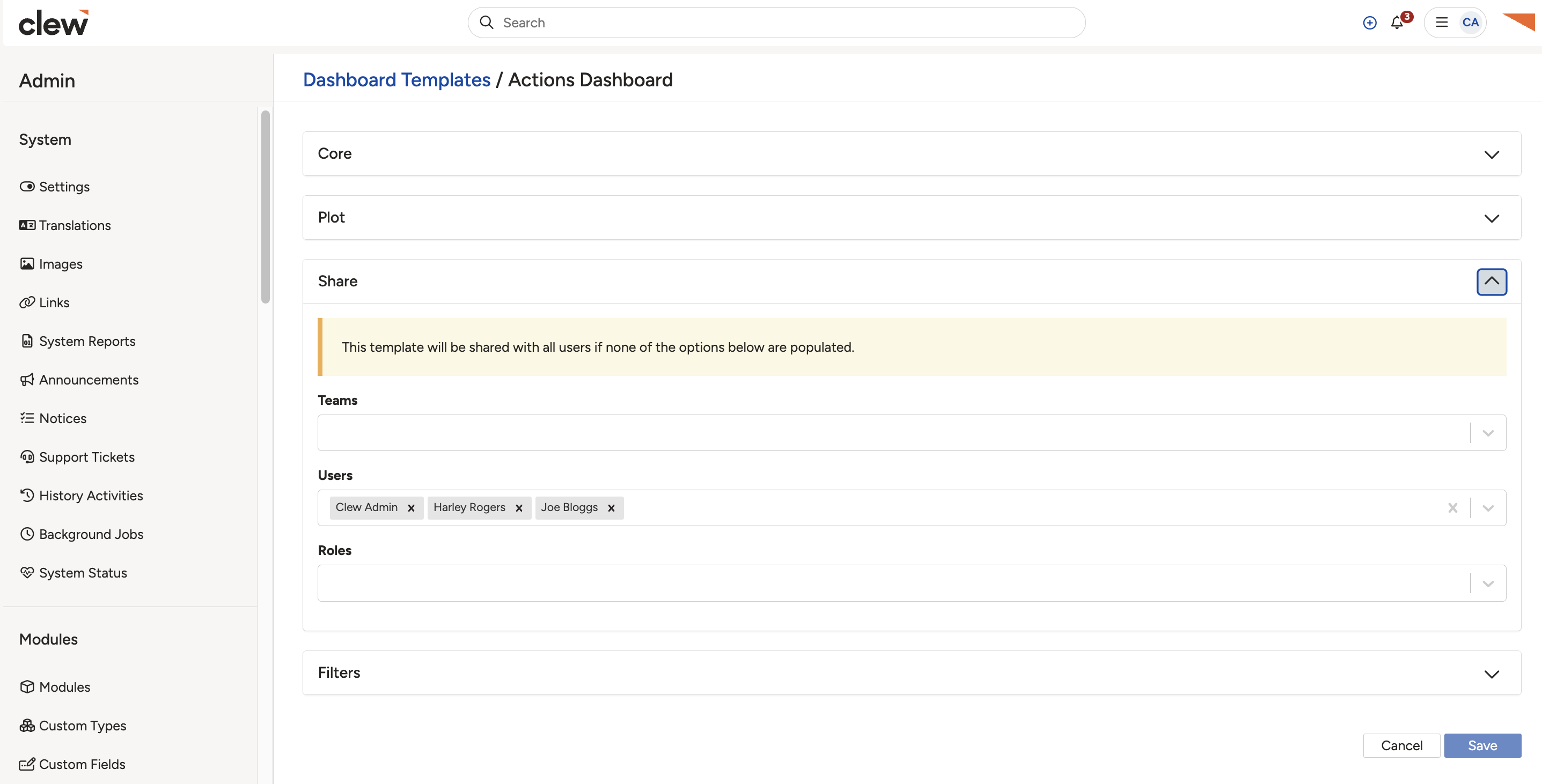
The Share sub-panel, where you set who the dashboard is shared with.
Reviewing access through the Dashboard Manager
This applies to system administrators and users who have created their own dashboards through the Dashboard Manager.
- In the top-right corner, click your name drop-down and select Dashboard Manager.
- Users can only see dashboards they have created or that have been shared with them.
- To share a dashboard you have created, click it, then click the blue share icon in the top-right corner.
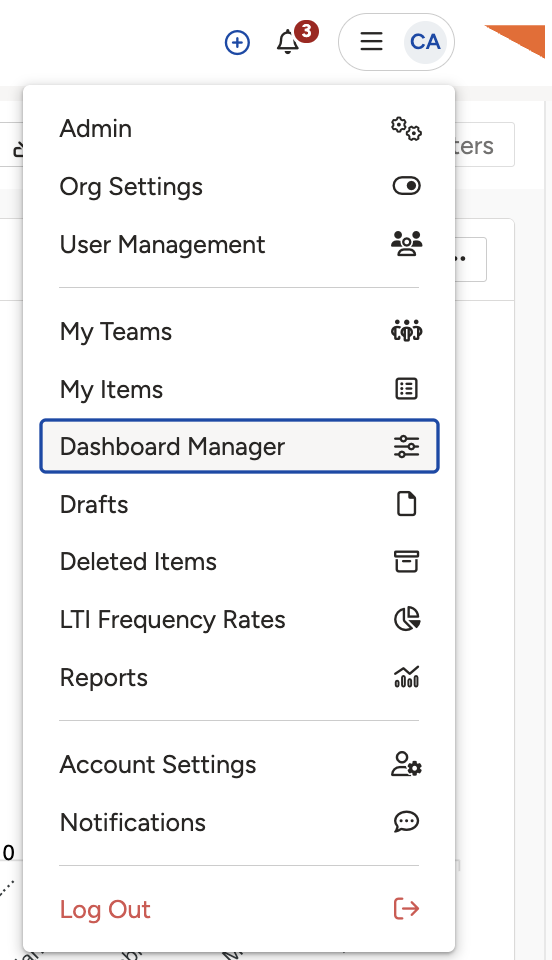
Opening a dashboard you created in the Dashboard Manager.
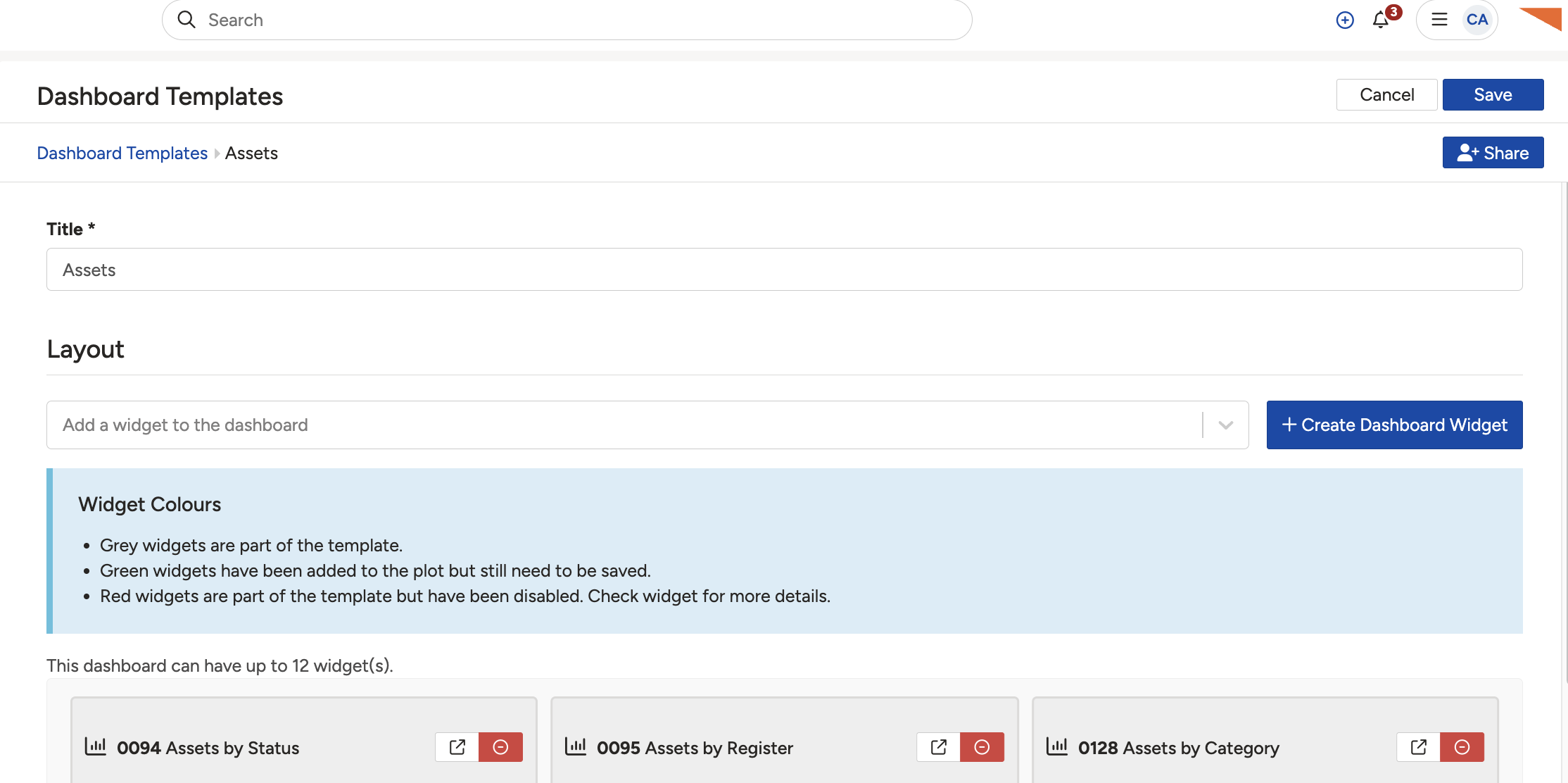
The blue share icon in the top-right corner.
- A pop-up appears where you can configure sharing settings. At the bottom, you can see which users have access to the dashboard and their access level.
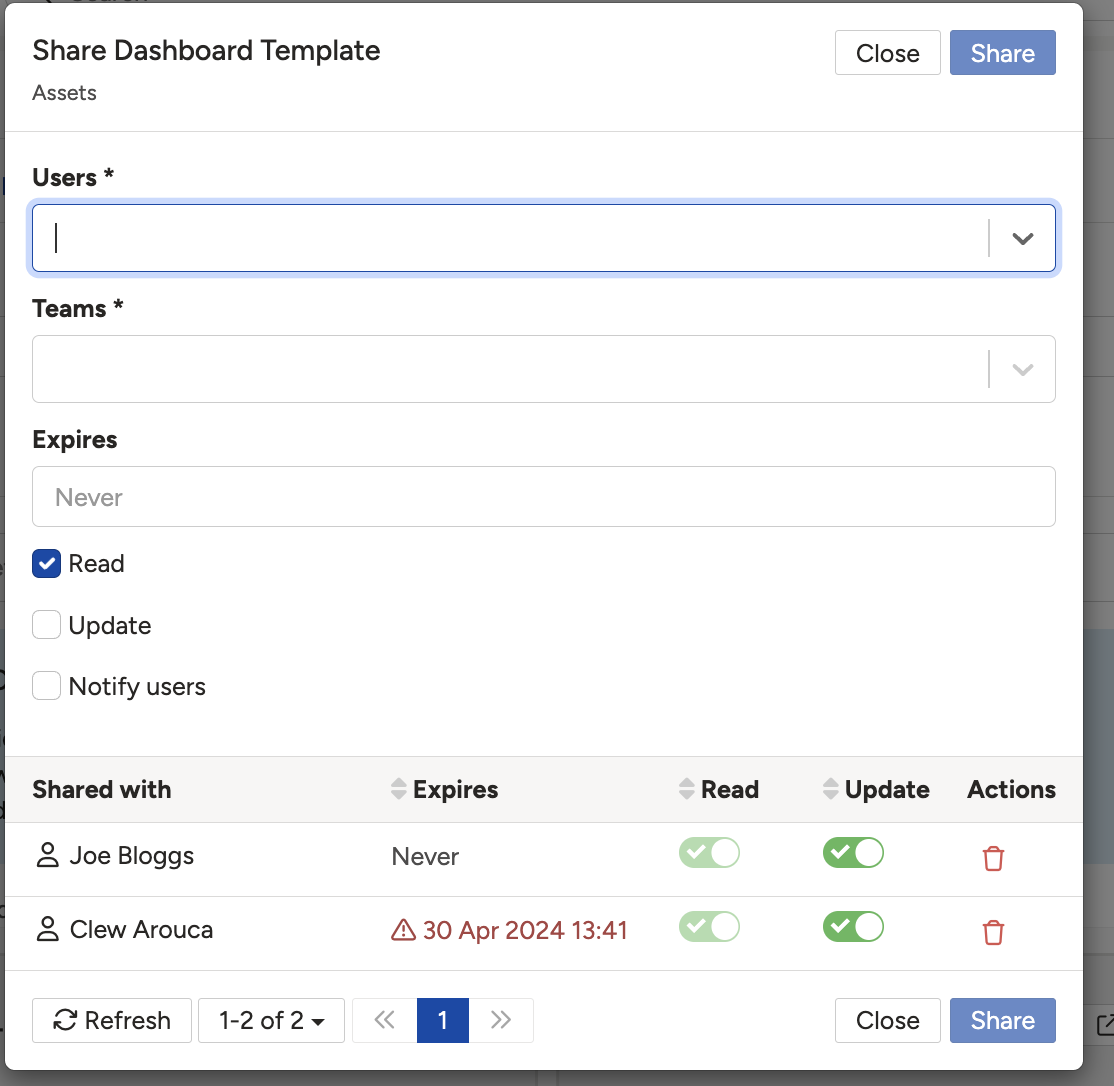
The sharing pop-up, showing who has access and at what level.
5. Common Issues & Troubleshooting
| Issue | Likely Cause | Solution |
| A user cannot see a dashboard | They did not create it and it has not been shared with them. | Share the dashboard with the user through its Share settings or the share icon. |
| Sending the dashboard URL did not give access | A URL alone does not grant access. | Share the dashboard through dashboard share permissions, not by sending the link. |
| A dashboard is visible to everyone unexpectedly | The Teams, Users, and Roles fields are blank. | Add specific teams, users, or roles in the Share settings to limit who can see it. |
Click a title to preview it here. Use the Open full article button to read the full version in a new tab.
▾Dashboard Manager Open full article »
Related article
How the Dashboard Manager works, including sharing.
▾Advanced Dashboard Templates Open full article »
Related article
Advanced configuration of dashboard templates, for system administrators.
Was this article helpful?
That’s Great!
Thank you for your feedback
Sorry! We couldn't be helpful
Thank you for your feedback
Feedback sent
We appreciate your effort and will try to fix the article