How can I customise columns on the Datagrid?
How core and custom field columns work on the Datagrid, and how to show a custom field
The short answer
Most of the columns visible in the Datagrid are Clew core fields, native system fields that are managed by Clew. You can, however, display Custom Fields in the Datagrid yourself, which a System Administrator configures.
How to show a custom field on the Datagrid
This can be configured by a System Administrator:
- Navigate to Admin > Custom Fields.
- Open the custom field you want to enable on the Datagrid.
- Scroll down to the Properties section and set Visible on Lists to Yes.
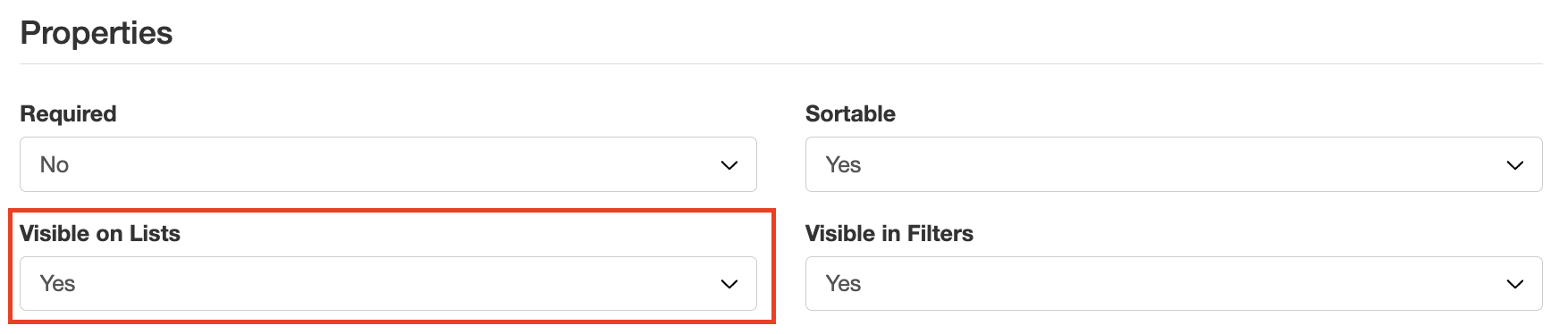
Setting Visible on Lists to Yes in the custom field Properties.
Click a title to preview it here. Use the Open full article button to read the full version in a new tab.
▾Custom Fields Open full article »
Related article
How to create and configure custom fields, including their properties.
Was this article helpful?
That’s Great!
Thank you for your feedback
Sorry! We couldn't be helpful
Thank you for your feedback
Feedback sent
We appreciate your effort and will try to fix the article