Why can’t I see a custom field on the Edit form?
If a custom field is not visible on the Edit form, it’s likely because the field has been configured to be hidden in either the Custom Field settings or the Schema configuration.
How to check if the custom field is hidden on the Edit form?
Custom Field
- Go to Admin > Custom Field > search for the custom field open it.
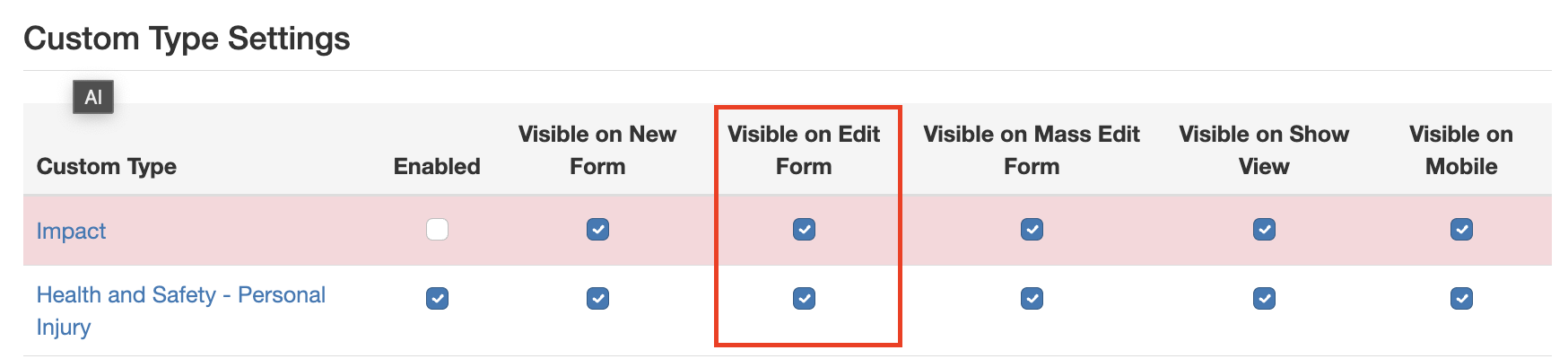
- Scroll to Custom Type Settings.
- Ensure the checkbox Visible on Edit Form is selected and save.
Schema
- Go to Admin > Schemas.
- Search for the schema and open it.
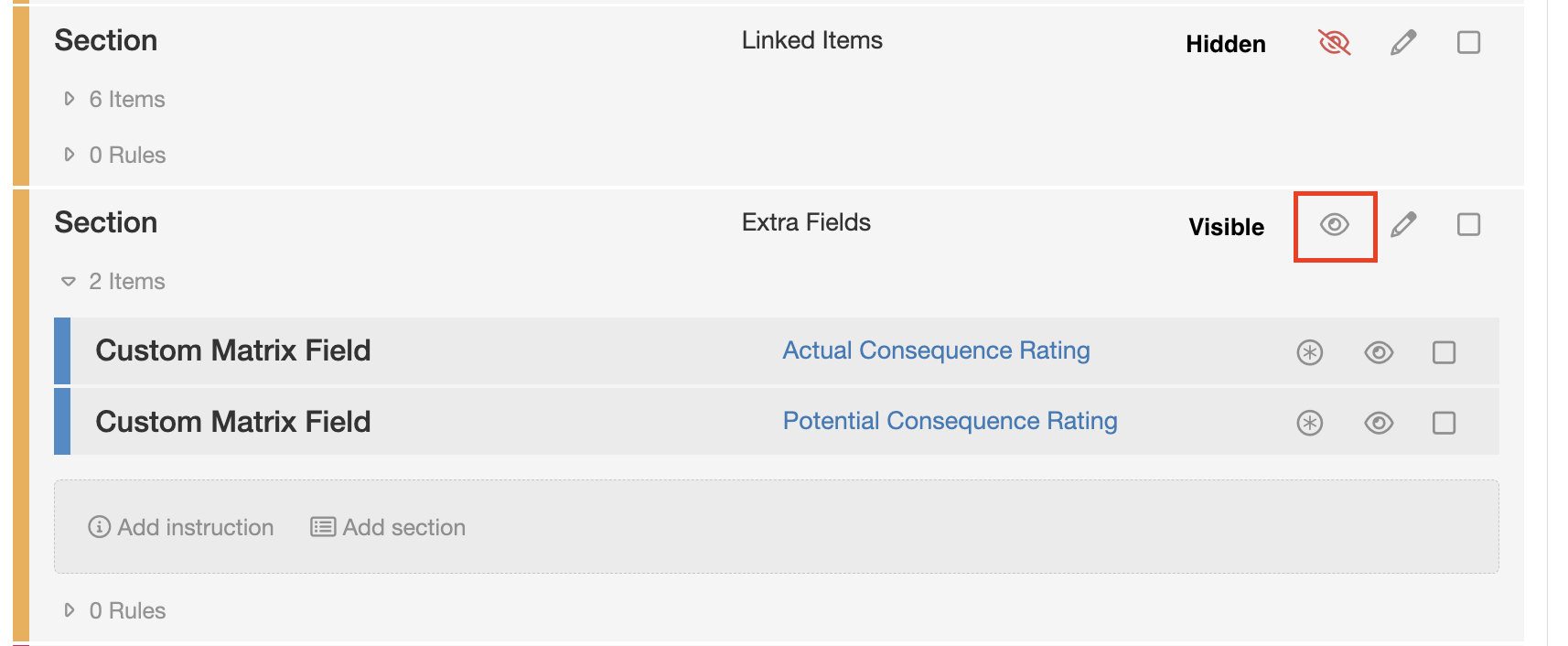
- Locate the custom field in the Builder and ensure the hide-icon, either on the field itself or its section, is set to visible.
For more information, refer to the articles on Custom Fields and Schemas
Was this article helpful?
That’s Great!
Thank you for your feedback
Sorry! We couldn't be helpful
Thank you for your feedback
Feedback sent
We appreciate your effort and will try to fix the article