How to view the Security Groups that apply to a register?
To review the access levels or security groups assigned to a register, you must either be a system administrator or contact your system admin for help.
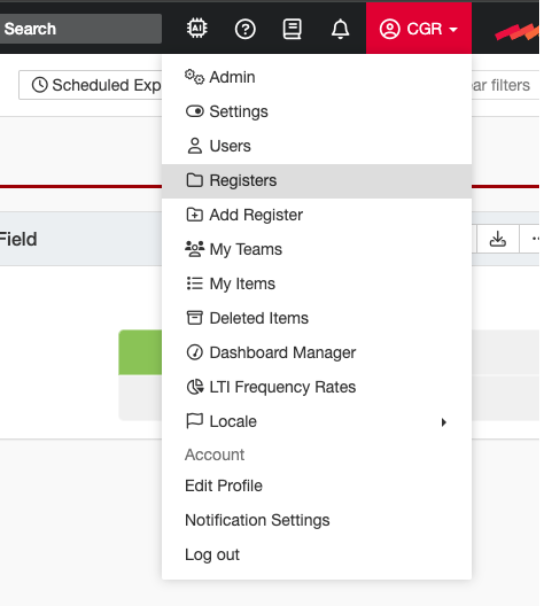
- Navigate to ‘Registers’ to view all registers in the system.
- The lock icon shows the number of assigned security groups to a register.

Switch to ‘Detailed View’ to see the names of the assigned security groups, each linked to its corresponding security group page.
Tip: You can also use Detailed View on the Users page to see which security groups are assigned to each user.
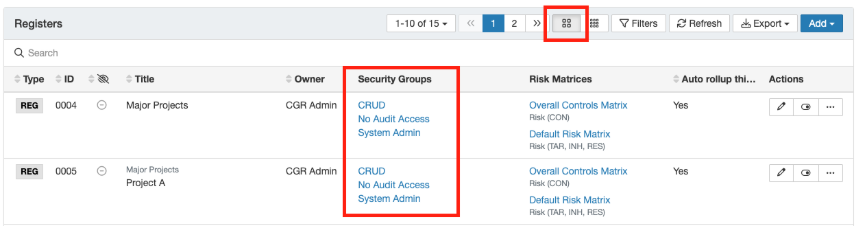
- Click the hyperlink for a security group to view its access permissions and see which users belong to it.
Tip: If you have many registers, use the filter to show only those with an assigned permission set.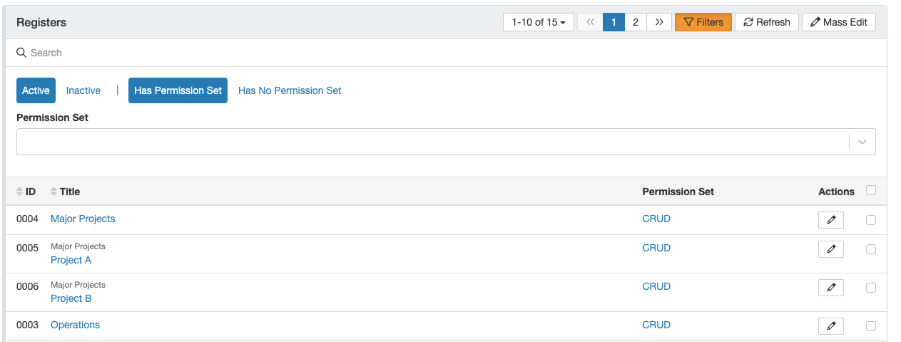
Was this article helpful?
That’s Great!
Thank you for your feedback
Sorry! We couldn't be helpful
Thank you for your feedback
Feedback sent
We appreciate your effort and will try to fix the article