TABLE OF CONTENTS
What does risk toggling do?
If Bowtie Risk is enabled and the [Mode] button has been made available, you can toggle between Bowtie Risk and Simple Risk.
The risk toggling described in this article only applies to versions 4.22 and above.
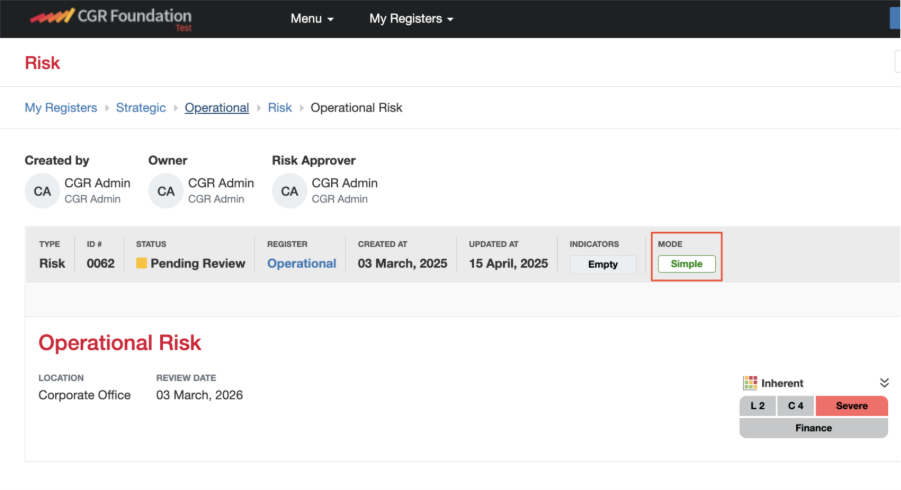
Where do I find the [Mode] button?
The [Mode] button appears in the shaded grey header of the risk record (as shown in the screenshot below).
How do I switch between modes?
- To switch from Simple to Bowtie or vice versa, simply click the [Mode] button.
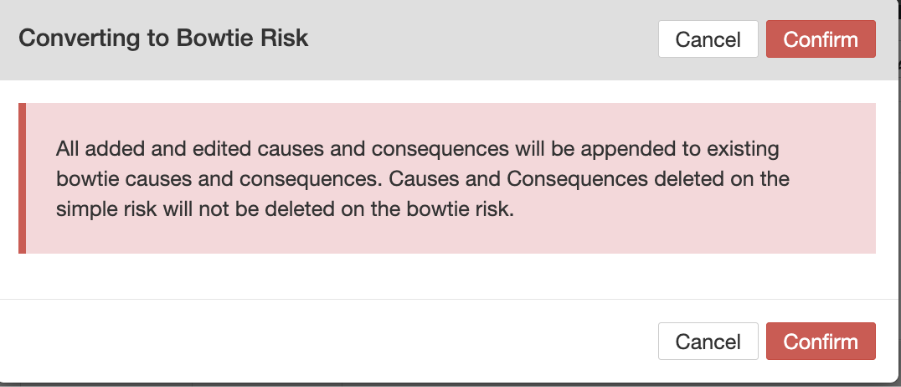
- When moving from Simple to Bowtie, a confirmation dialog box will appear. You must confirm before the switch is applied.
Can I move risks back and forth between Modes?
Yes, risks can be switched between Simple and Bowtie modes.
Note: Be mindful of the caveats outlined below (e.g. certain fields or data may behave differently between modes).
Was this article helpful?
That’s Great!
Thank you for your feedback
Sorry! We couldn't be helpful
Thank you for your feedback
Feedback sent
We appreciate your effort and will try to fix the article