Context
The CGR Platform allows end users to mass edit records for any given module for example risks, actions, incidents etc. When going into mass edit mode, the CGR Platform will display the available fields for mass editing, and these are configured by system administrators.
Important Notes
- You need to be a system administrator to be able to perform the outlined steps.
- When making any fields available or hiding them, please ensure that you have considered the impact of this change. Please refer to common issues below for some use cases where it can create unwanted effects.
- Users who do not have permissions to edit records will be unable to mass edit.
- Users who do have edit permissions but do not have “mass” permissions will also be unable to mass edit.
- If you have more than one custom type for a module, e.g. Risk, and Opportunity, and you want to enable/disable a field for both types, you will need to follow the steps below for each type.
How to change what fields can be mass edited?
Fields that are available for mass editing are set in the admin area.
Please follow these steps:
- Navigate to Admin > Custom Types
- Select the custom type for the module you want to enable or disable mass edit for particular field(s). Click the custom type you wish to change.
For our FAQ, we are making changes to the Risk module to enable the “Risk Approver” field to be mass editable for the Risk custom type.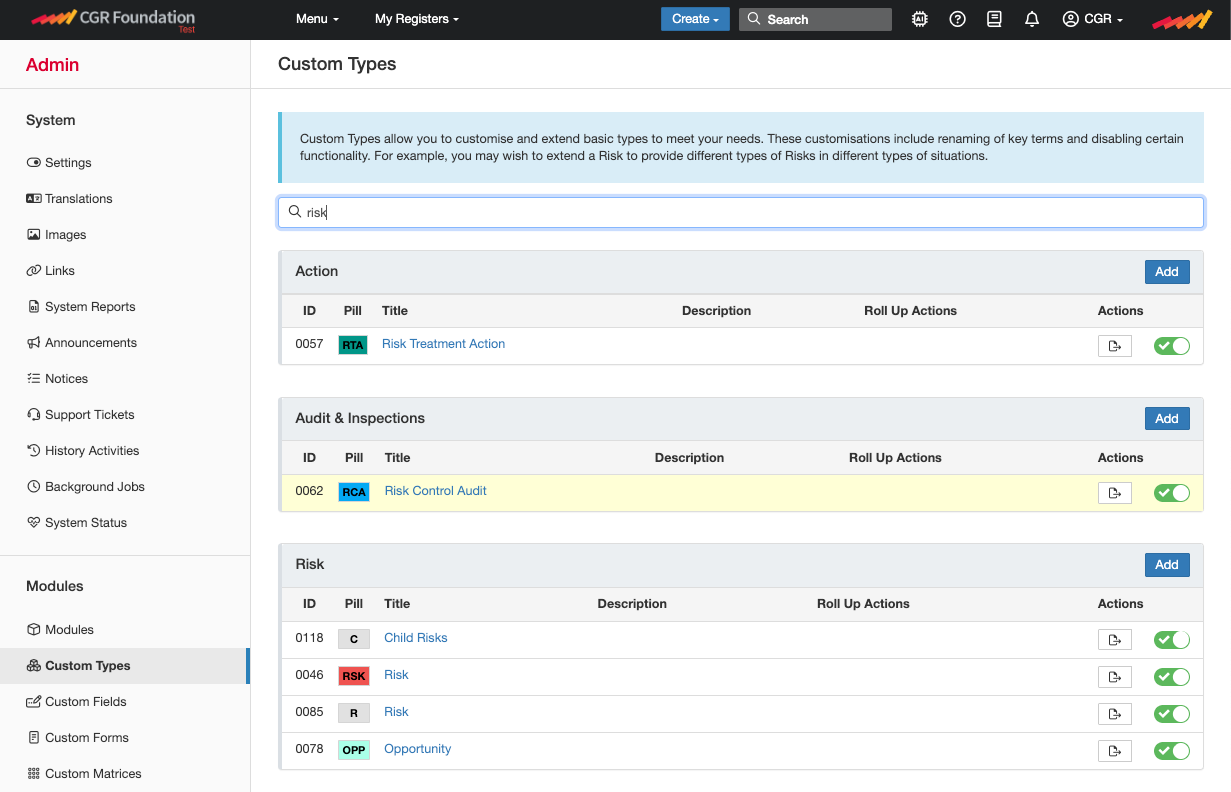
- Once the page loads, you will be viewing the Risk custom type details. For more information about this page, please go to this article.
- Scroll down to “Core Field Settings”. This is where you can enable or disable core fields (CGR Standard fields) on the mass edit form. In the “Hidden fields on Mass Edit Form”, remove the field you want to display, or select the field you want to hide.
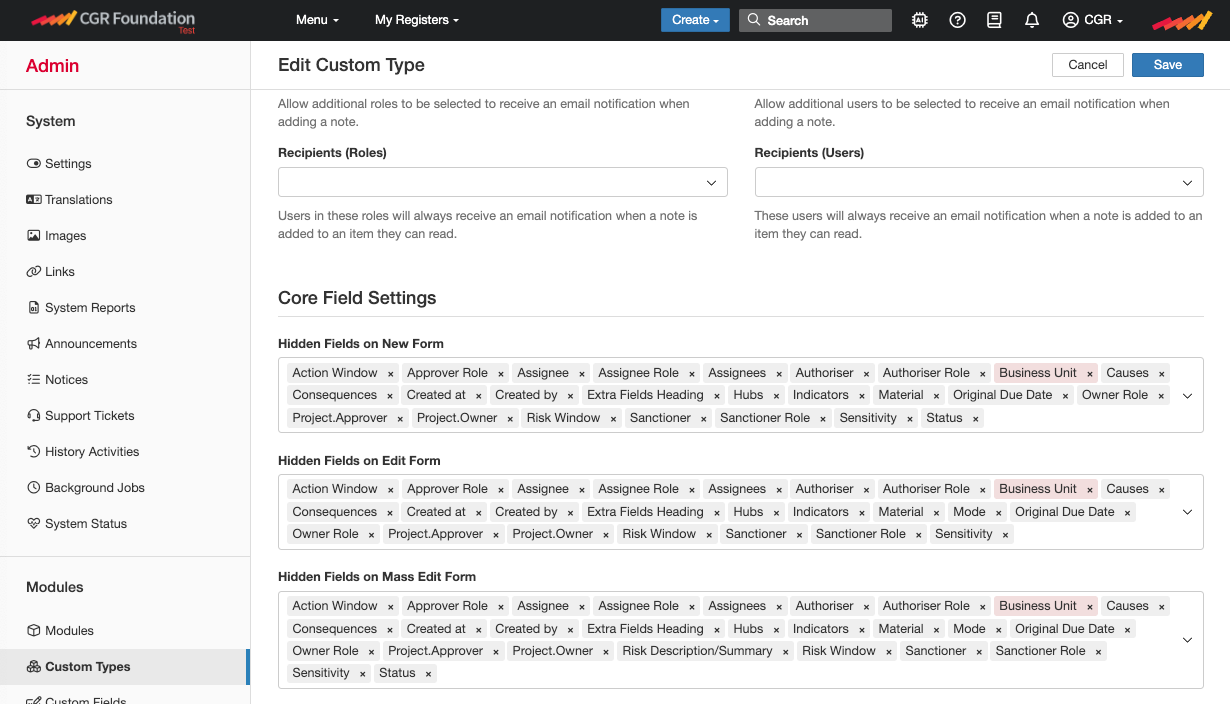
- Click save.
- If you are looking into enabling/disabling a custom field you created, this can be done by scrolling further down the custom type page until you reach “Custom Field Settings”, please see below:
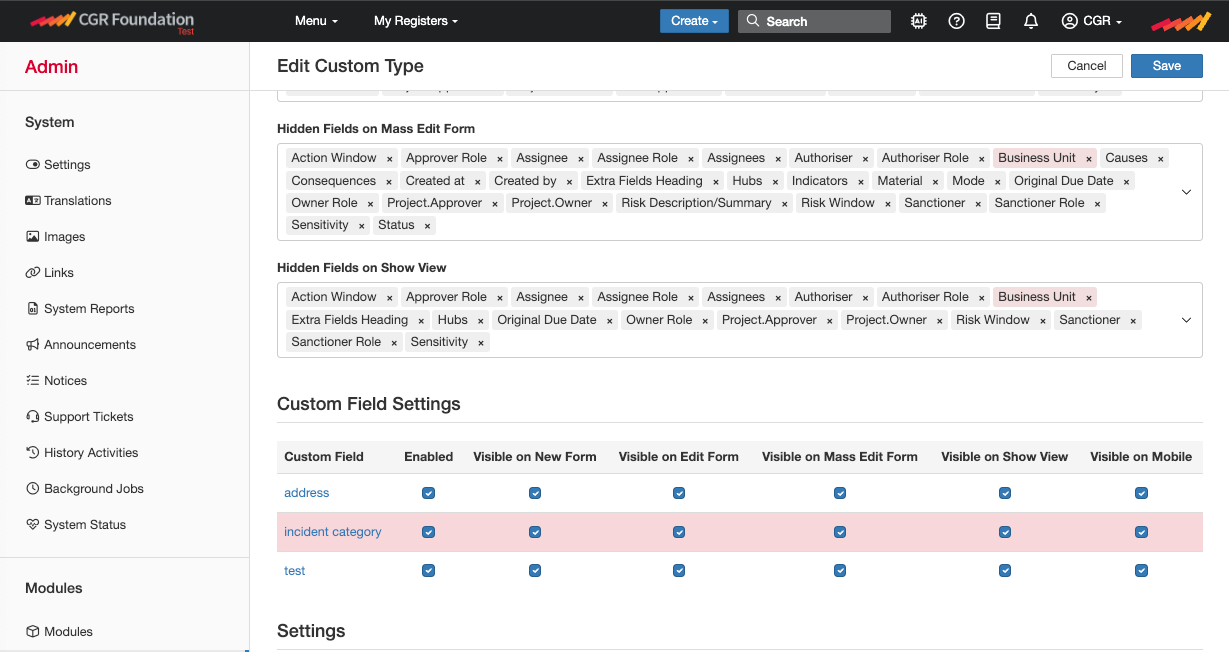
- To disable/enable a custom field for mass edit, simply uncheck/check the box under “Visible on Mass Edit Form”.
- Click Save.
Common Issues
Below are some scenarios where certain fields being available for mass edit can have unwanted effects.
- Enabling mass edits for date fields, such as action due dates, could allow users [with update access] to extend due dates without going through the proper workflow approvals.
- Enabling mass edit for certain user fields need to be considered carefully depending on the module. If you are making changes to a declarations module [conflict of interest, gifts, etc] you would probably not want people to mass edit the owner of a declaration since this “transfers” the declaration to the newly assigned user.
Was this article helpful?
That’s Great!
Thank you for your feedback
Sorry! We couldn't be helpful
Thank you for your feedback
Feedback sent
We appreciate your effort and will try to fix the article