When deleting records, are they permanently removed?
No, records are not permanently deleted in the system.
All deleted records are soft deleted, meaning they’re simply marked with a 'deleted at' date and time. This allows you to restore them later if needed.
How do I restore a deleted record?
There are two ways to restore deleted records, depending on your access level:
Option 1 – Restore records you deleted yourself
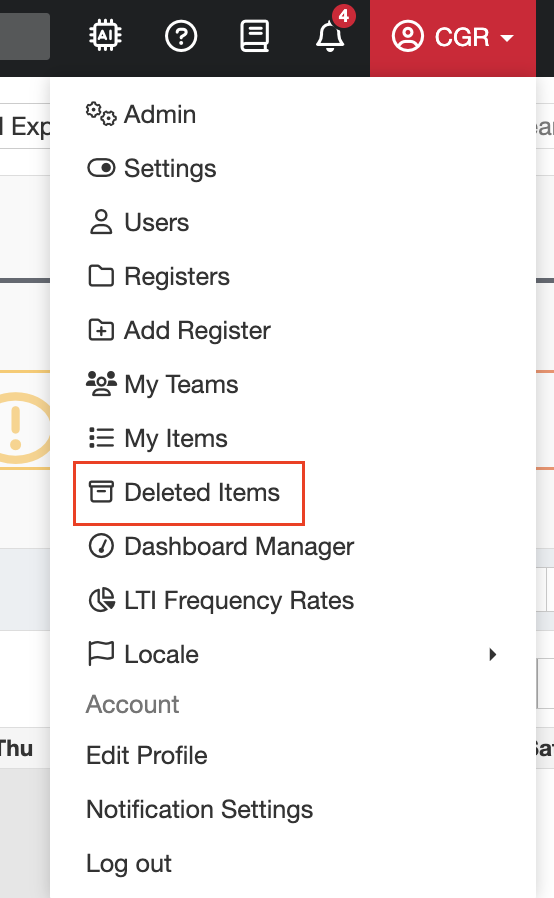
- Click your name in the top-right corner of the application.
- Select Deleted Items to open the restore page.
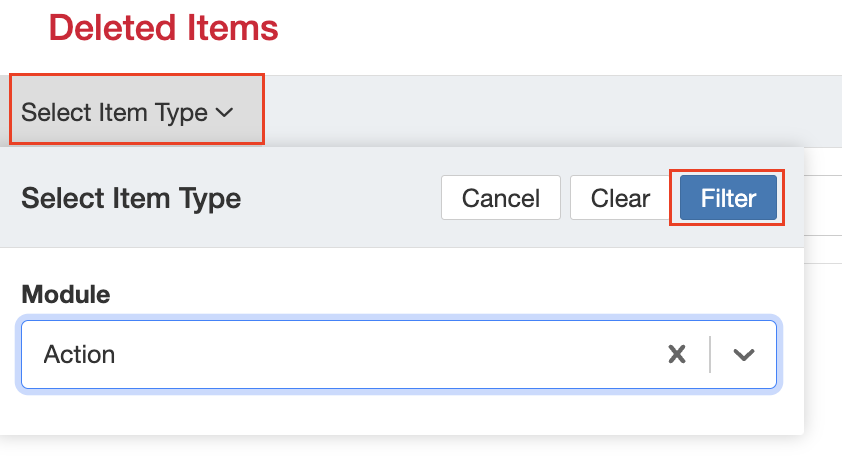
- Use Select Item Type field to choose the relevant module (e.g. Incident), then click Filter.
- Locate the record and click Restore.
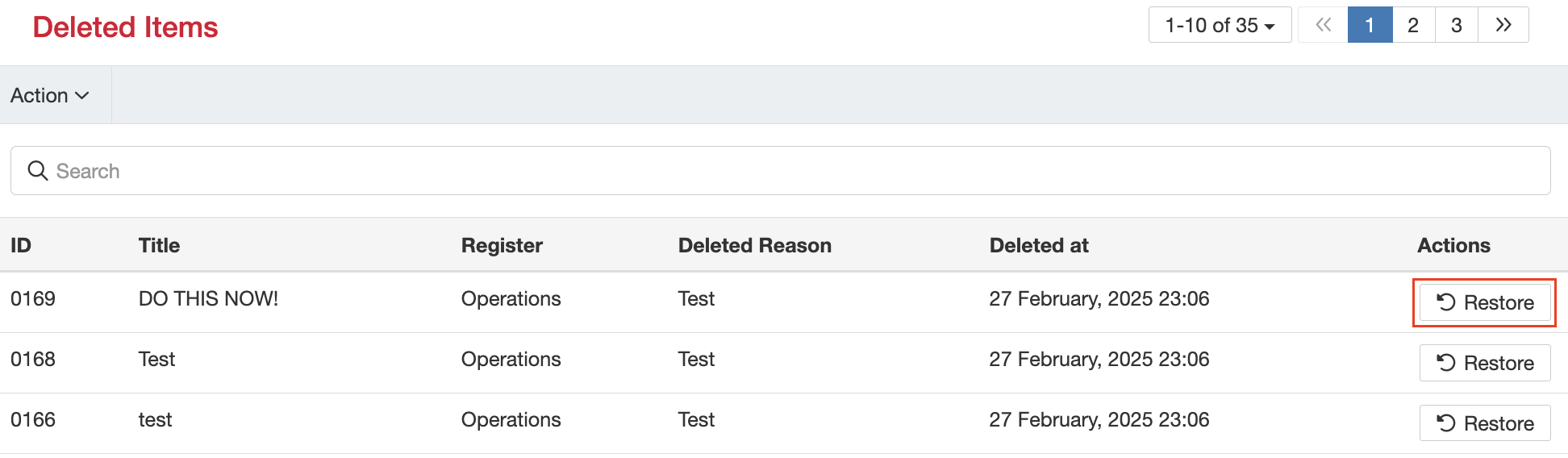
Note: You can only see and restore records that you have deleted.
Option 2 – Restore records as a System Admin
- Go to the Admin section > Deleted Items.
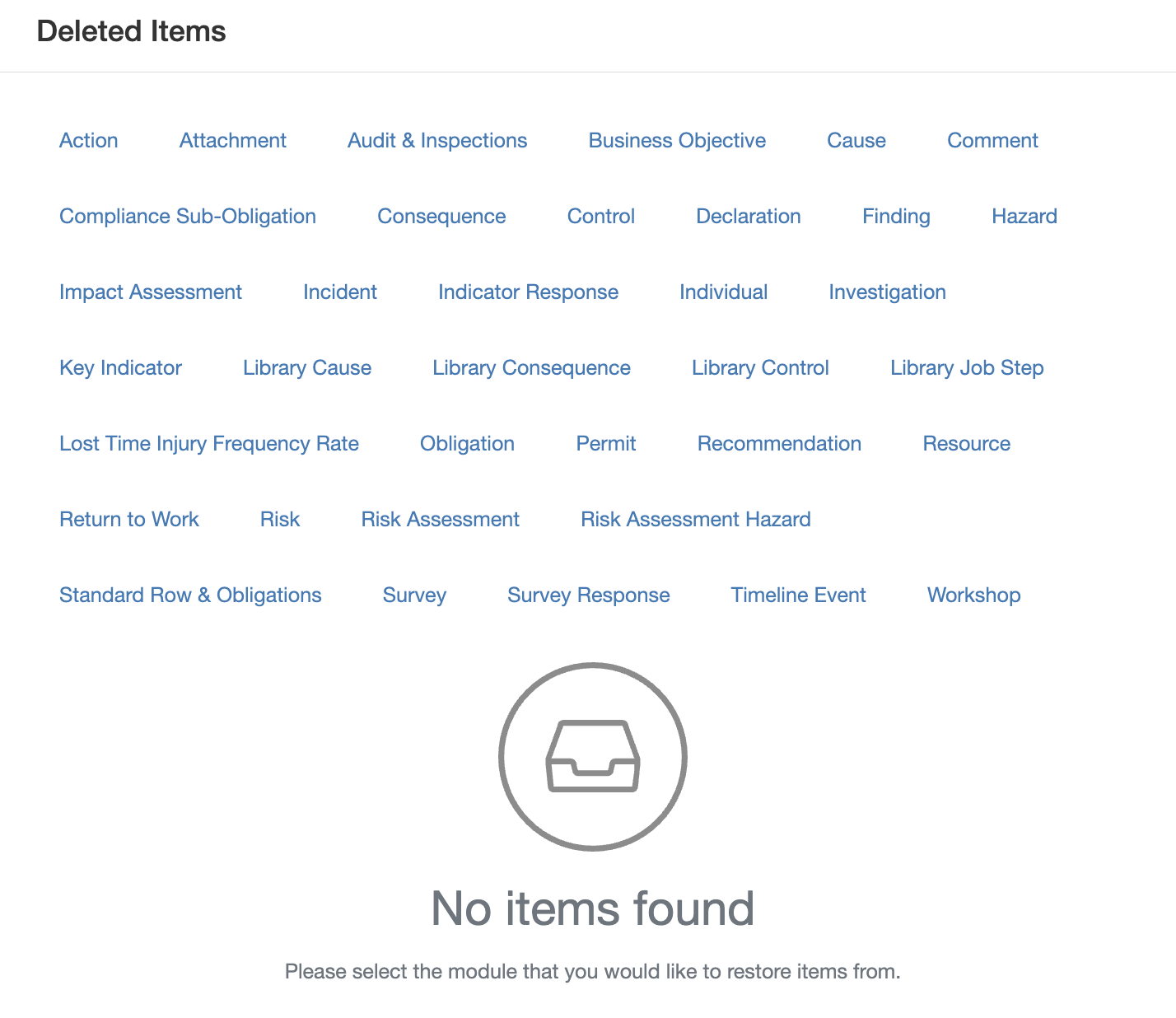
- Click on the hyperlinked module name (e.g. Action) to filter results.
- Find the record and click Restore.
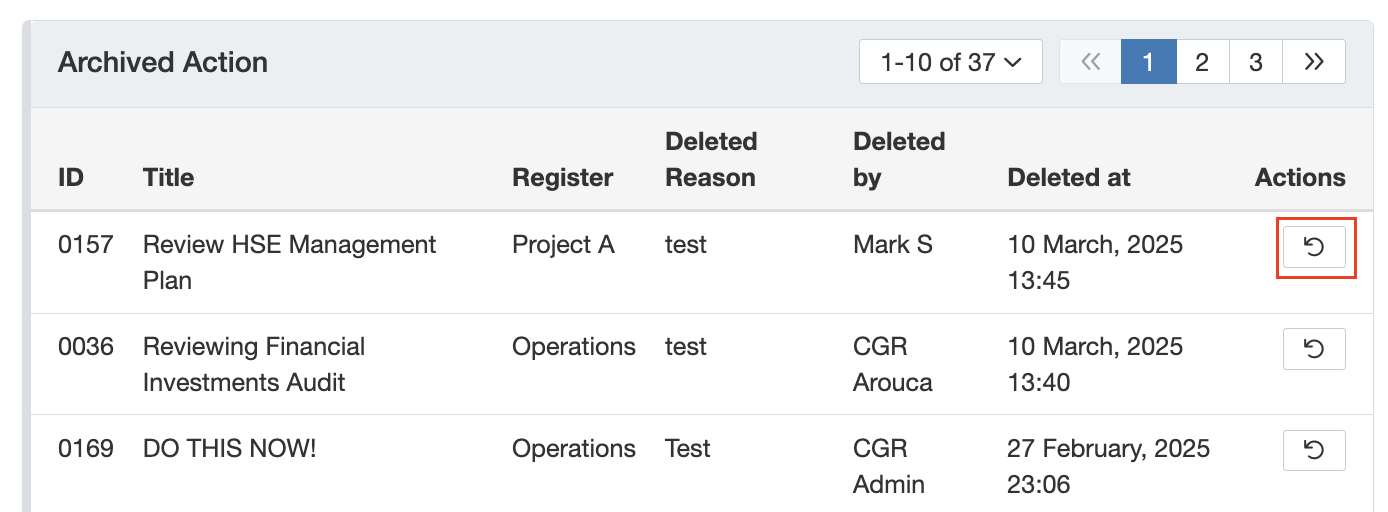
Note: You need to be a system admin to restore records that have been deleted by others.
Was this article helpful?
That’s Great!
Thank you for your feedback
Sorry! We couldn't be helpful
Thank you for your feedback
Feedback sent
We appreciate your effort and will try to fix the article