How do I check a user’s permissions?
To check a user's access level, you must be a system administrator.
Follow the steps below to review a user's access permissions.
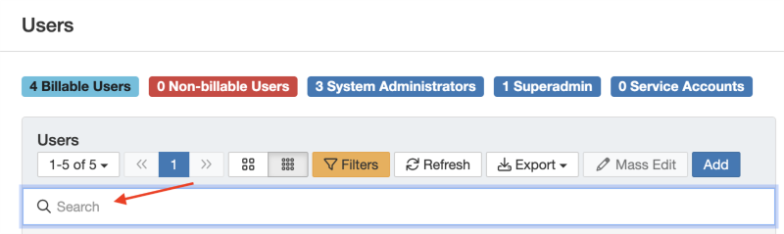
- A user's permissions can be viewed from the Admin > Users page. Search for the user using the search bar:
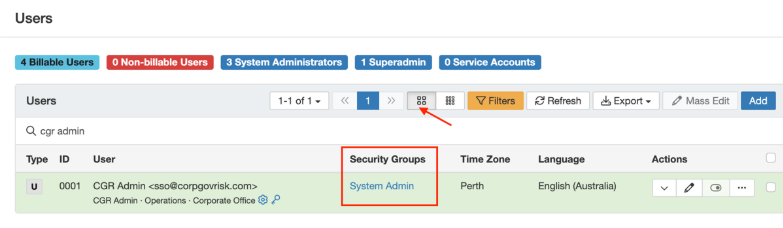
- Click the icon with the four squares to switch to "Detailed" view, which displays the security groups assigned to the user.
- To see a visual breakdown of a user's access, click the three dots in the "Actions" column and select “Access Control Matrix.”
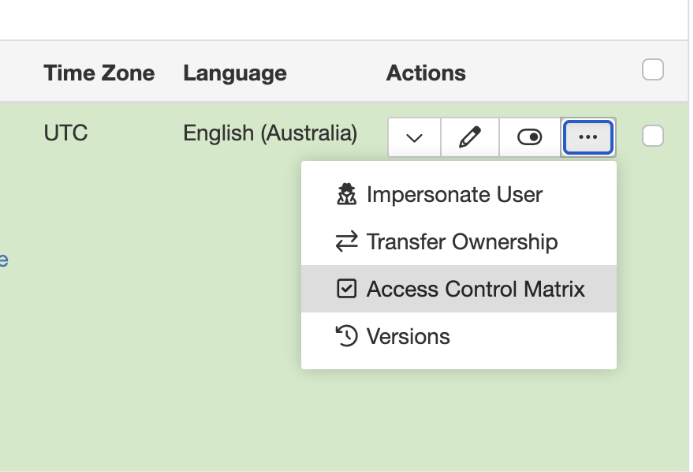
Please note that the Access Control Matrix is a visual reference only, it can’t be edited directly. To change a user's access permissions, you need to add or remove security groups from their user account.
When viewing the matrix, here’s how to interpret it:
The left-hand column lists all the registers in the system.
The top row shows all the modules and their associated permissions.
Under each module name, you’ll see the letters: C, R, U, D, M, M, S - these stand for:
C – Create
R – Read
U – Update
D – Delete
M – Mass
M – Merge
S – Share
These letters indicate the level of access granted for each module within each register.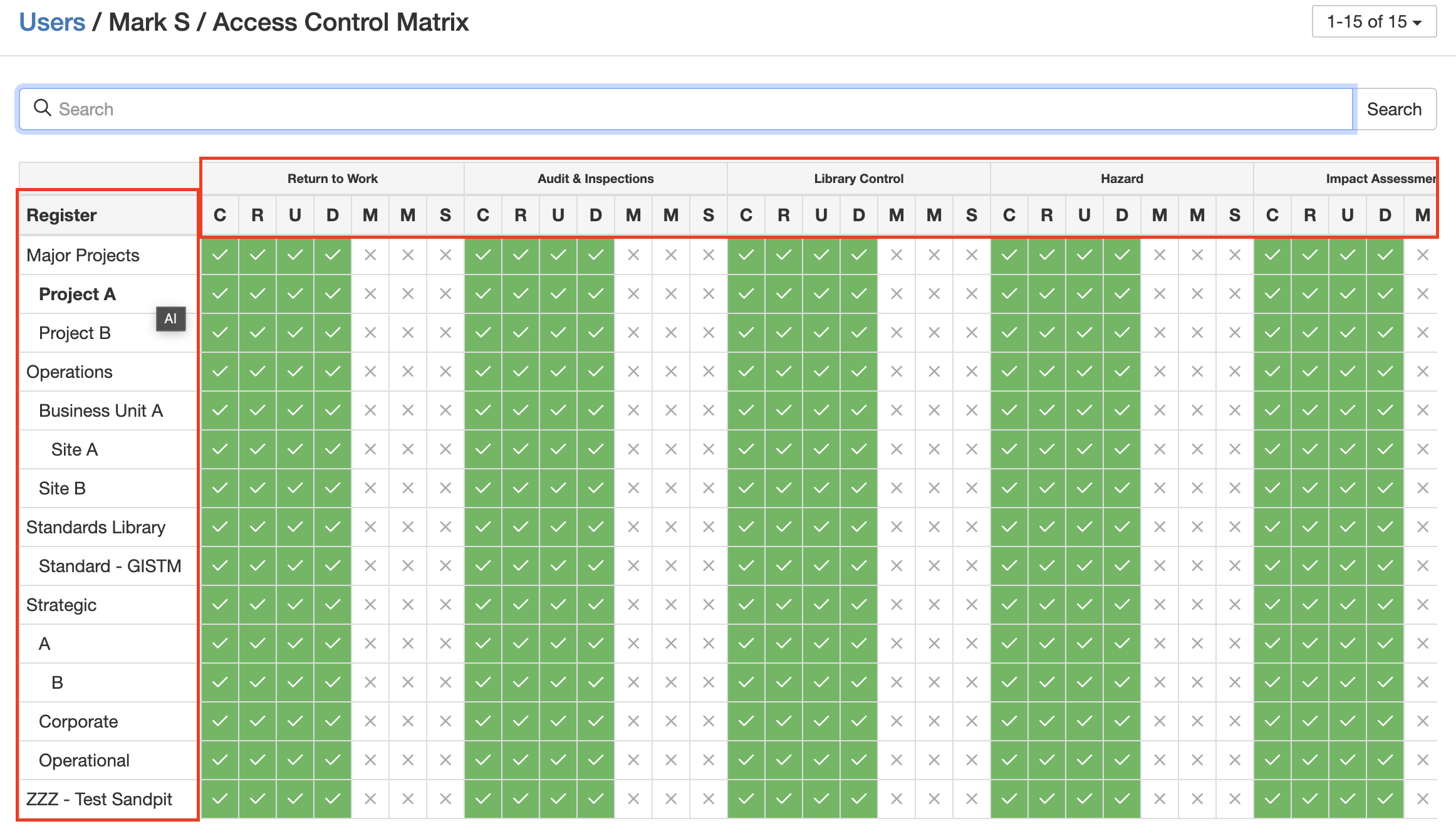
A green tick in a box means the permission is granted, while a white cross means the user does not have that permission.
At the top of the page, there’s a search bar where you can type in the register name you want to check, for example, searching for “Project A.”
Under the Hazard module, this user has Create, Read, Update, and Delete permissions for Project A, but not Mass, Merge, or Share.
To learn more about access and permissions, read the articles about security groups and permission sets.
Was this article helpful?
That’s Great!
Thank you for your feedback
Sorry! We couldn't be helpful
Thank you for your feedback
Feedback sent
We appreciate your effort and will try to fix the article